Overview › Forums › Discussions › OCR on images not working
- This topic has 2 replies, 1 voice, and was last updated 3 weeks, 4 days ago by
ai image editor.
-
AuthorPosts
-
bobo
GuestI have installed the windows OCR version. The screen title says “… Free OCR”
However, I see no configuration settings (in general, or on OCR)
When I run the search query, I see matches against, pdf, excel, doc, txt etc.
I don’t see anything on images (jpeg, gif etc)…does something addnl need to be done?
Abbie
ModeratorHello.
Some file types are not in the default search type list.
Please follow the steps below to add the file type you want to search
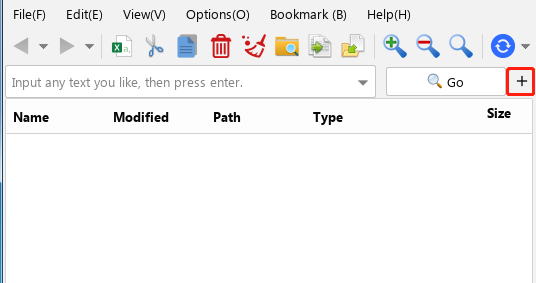
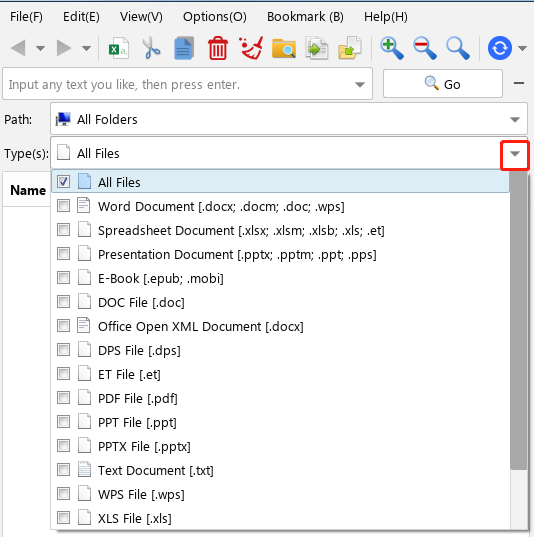
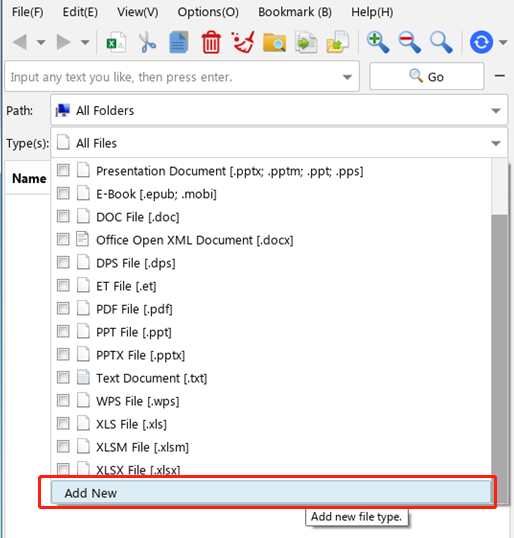
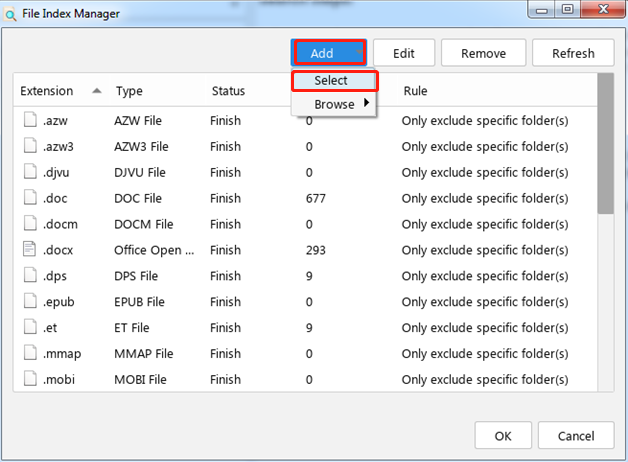
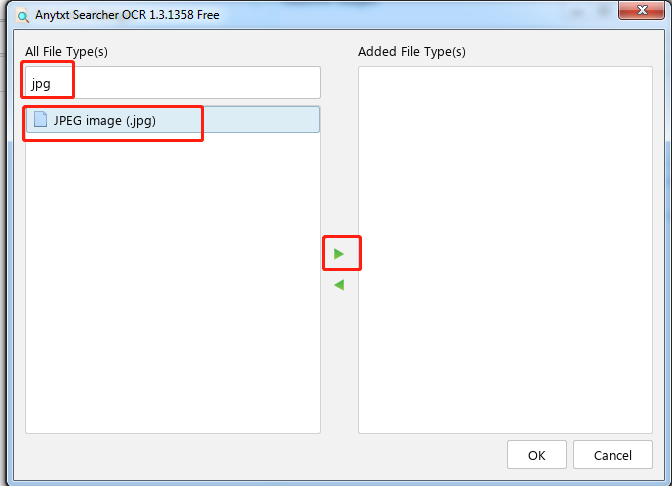
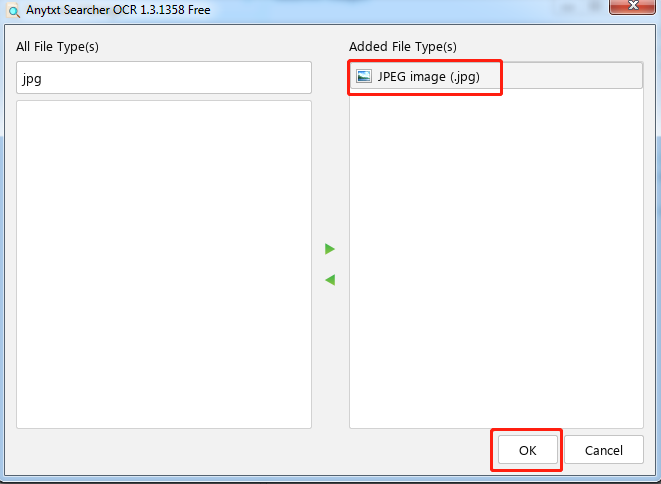
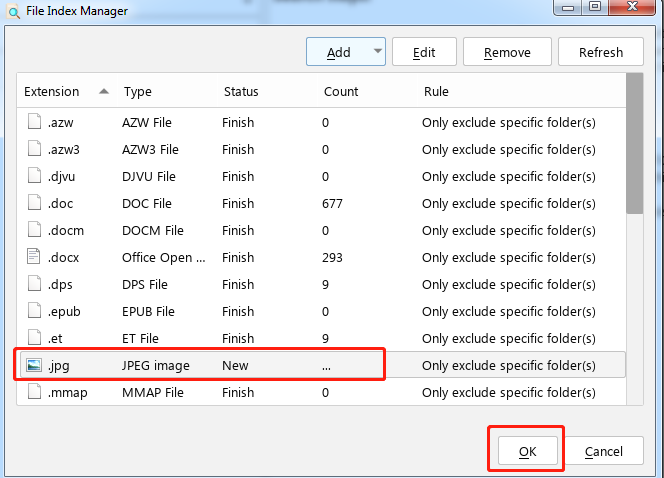
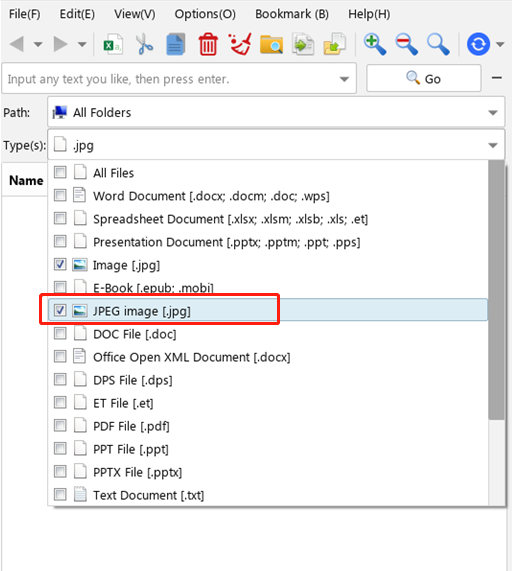
After the file type is successfully added, please update the index first, and then search the file content.
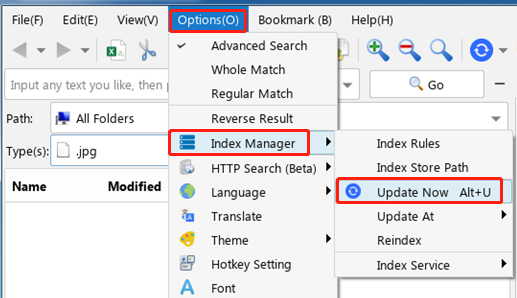
ai image editor
GuestAdding to Abbie’s answer for anyone who lands here later: after you add jpg/png/gif to the file type list and rebuild the index, it is also worth checking the images themselves if some still return nothing. OCR depends heavily on how readable the text is, so small screenshots, phone photos taken at an angle, or blurry scans often index with few or no words.
A quick test is to open one problem image, zoom to 100%, and see whether the letters are crisp. If they are soft or only a few pixels tall, re-scanning at a higher DPI (300 is a good baseline for documents) or retaking the photo straight-on with good light usually helps far more than any setting. Cropping away borders and rotating the page upright also improves results.
Upscaling or sharpening a low-resolution image before indexing can sometimes help, but it has limits: very tiny text and stylized logos can come out distorted, so the original source is always the better option when you have it.
-
AuthorPosts