
Forum Replies Created
-
AuthorPosts
-
Abbie
ModeratorHello.
1. Setting up the index
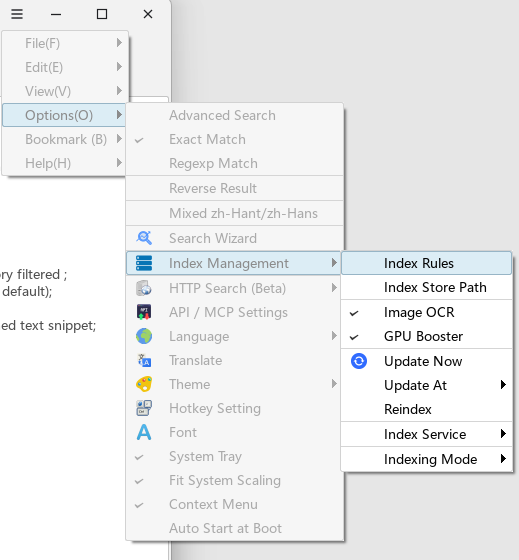
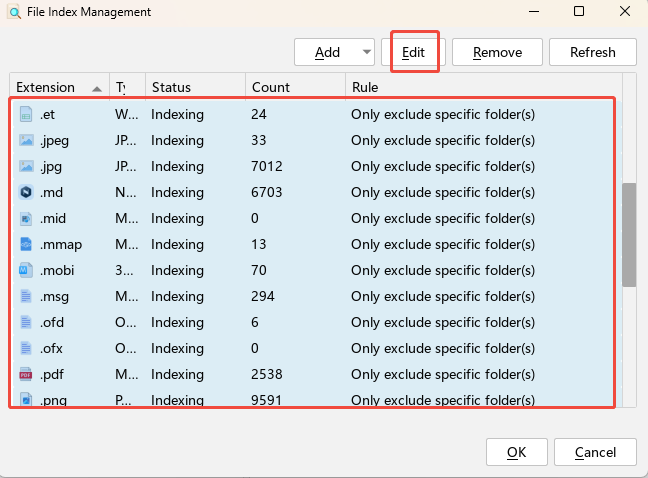
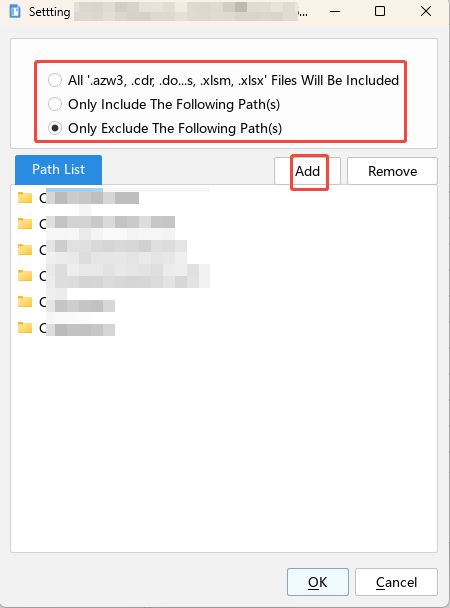
2. Indexing images ( .jpg .png) with OCR
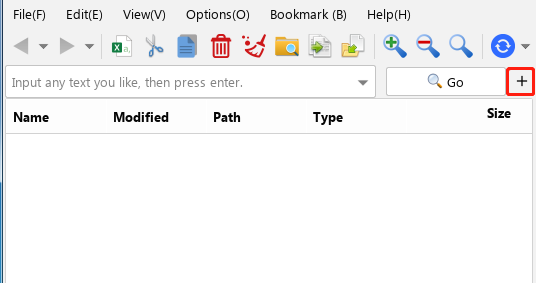
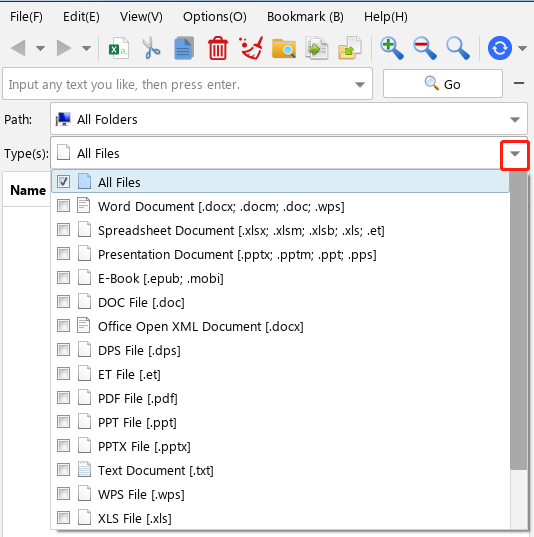
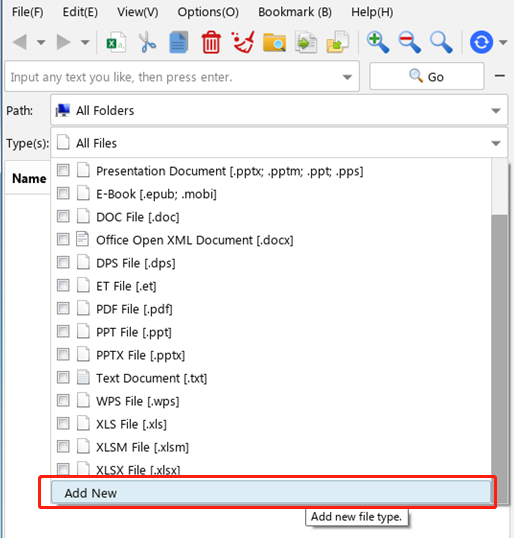
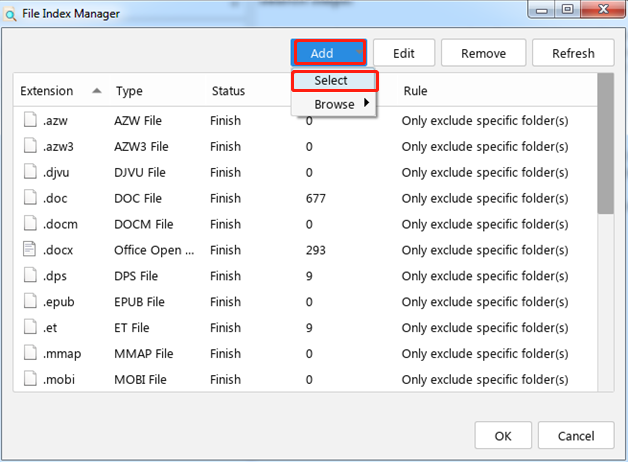
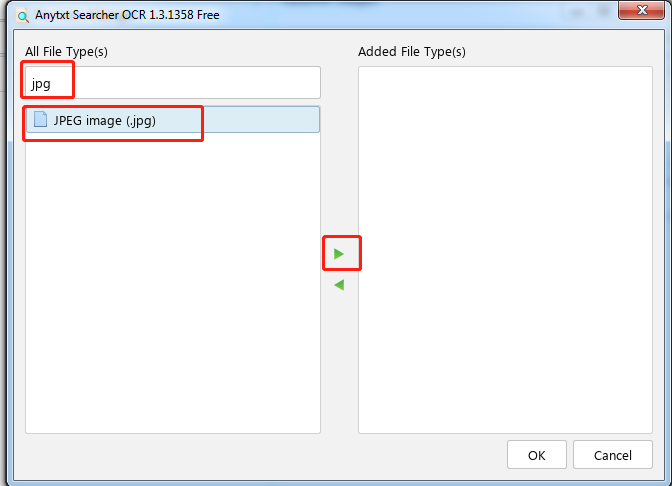
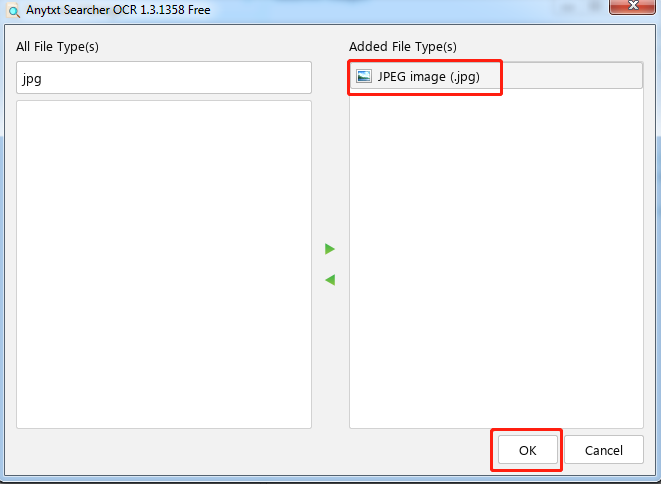
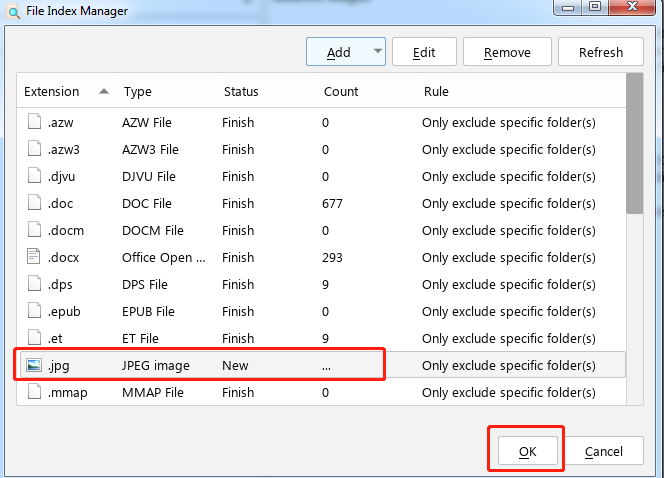
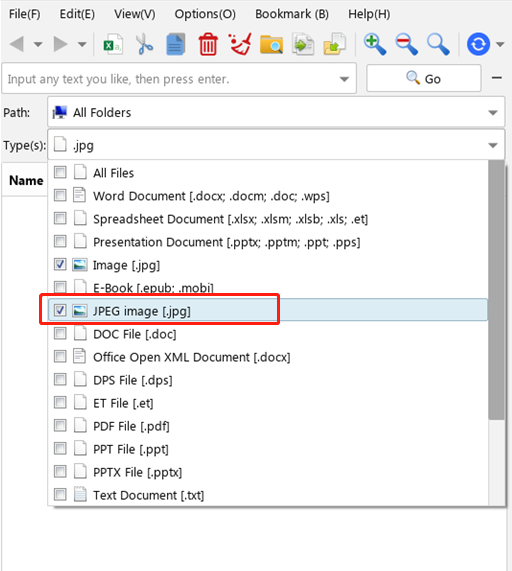
After adding an image type, please wait for the indexing process in the bottom-right corner of the software to complete before beginning your search.
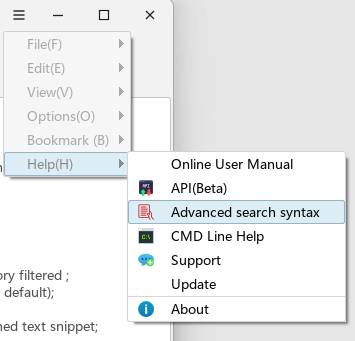
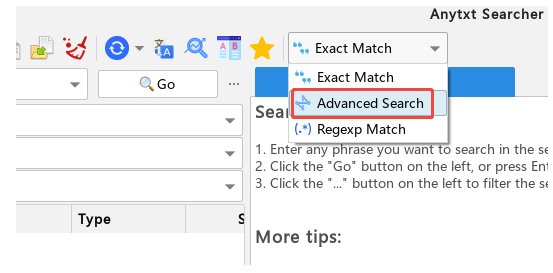
3. advanced search operators
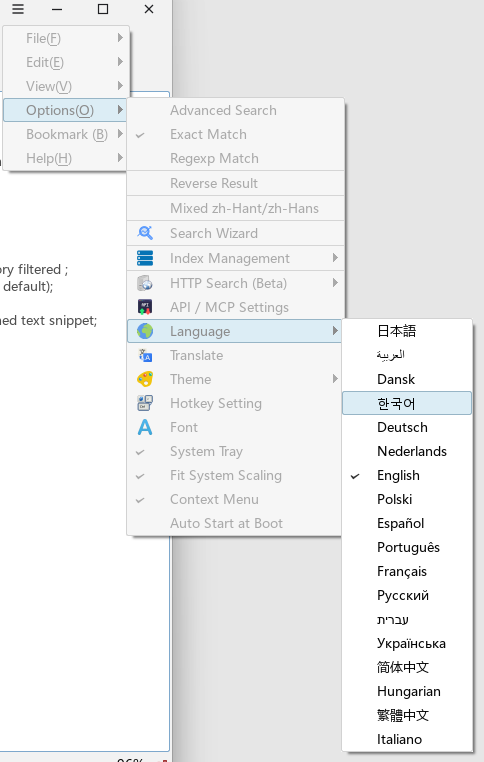
4. Changing the interface language
Thank you .
ModeratorHello.
Could you please let me know which version you are using?
Also, has the indexing process in the bottom-right corner of the software finished?
Thank you.
ModeratorAlright, thank you for your feedback.
ModeratorHello.
Please send me a screenshot of the page where this issue occurs.
Thank you.
November 20, 2026 at 3:29 am in reply to: What is the difference between Anytxt Searcher and Anytxt Searcher OCR? #34232ModeratorHello.
1. The system automatically detects whether a file contains text or is a scanned PDF; text-based PDFs do not undergo the OCR process.
2. The OCR option serves solely to determine whether a scanned PDF should be subjected to the OCR recognition process.
Thanks for your feedback.
ModeratorHello.
Please update the Anytxt to the latest version before using it.
Please check your spam folder, we sent emails to you on November 19.
Thank you.
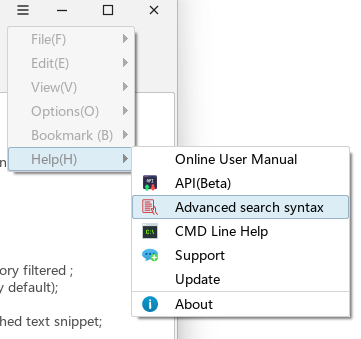
ModeratorYes, please refer to Help – Advanced Search Syntax.
Thank you.
ModeratorHello.
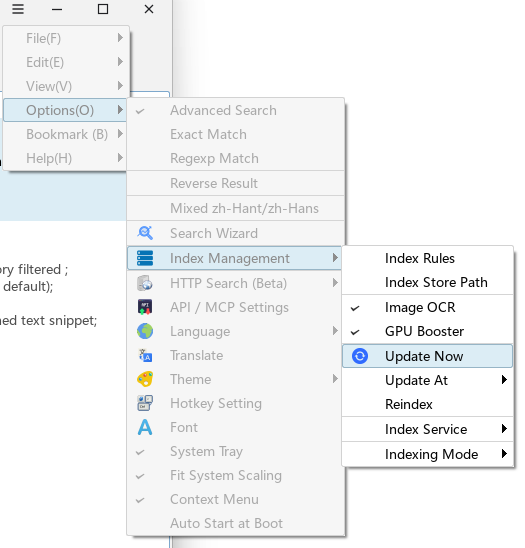
Once the index has been created, please wait until the process in the bottom-right corner of the software reaches 100% before you begin searching through file contents.
Whenever there are changes to your files, please click “Update Now”.
Thank you.
November 9, 2026 at 7:55 am in reply to: Paid Standard perpetual licence on 12 Sep 2026, activation number not received #33953ModeratorHello.
Have you received it yet?
Please check your spam folder, we sent emails to you on or around September 12 and November 5.
If you haven’t received them, please let me know.
ModeratorHello.
Have you received it yet?
Please check your spam folder, we sent emails to you on November 6.
If you haven’t received them, please let me know.
ModeratorHello.
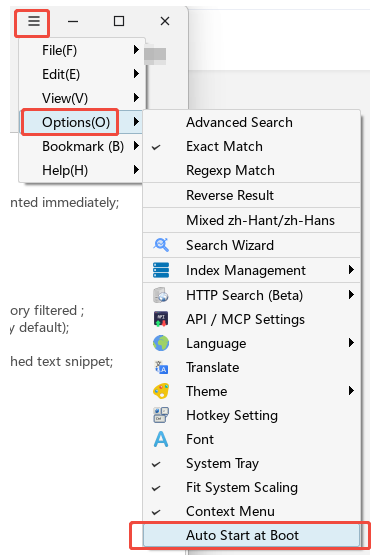
Your security system has flagged Anytxt’s auto-start-on-boot behavior as a potential threat.
please disable this by going to Options -> Auto start at Boot and turning it off.
Thank you.
ModeratorHello.
Following an update, please wait until the indexing process—visible in the bottom-right corner of the application—is complete before you begin searching.

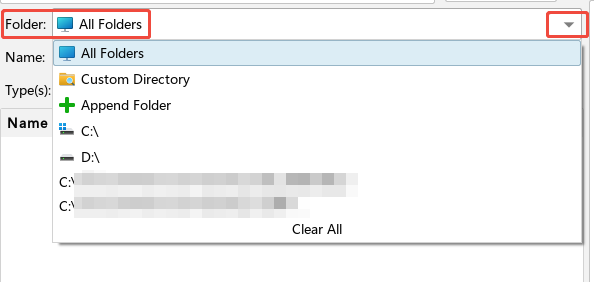
The latest version now allows you to save custom-selected folders; you can access them via your history for future reuse.
Thank you.
October 22, 2026 at 8:06 am in reply to: Long-term problem #2: On two machines, indexing never completes #33498ModeratorHello.
Which version of Anytxt are you running?
After restarting your computer, are the previously indexed data sources still present?
October 22, 2026 at 8:06 am in reply to: Long-term problem #1: On reboot, index is deleted and new indexing starts #33497ModeratorHello.
Which version of Anytxt are you running?
After restarting your computer, are the previously indexed data sources still present?
October 15, 2026 at 8:42 am in reply to: Highlighting the search term in filenames that have it would be helpful #33138ModeratorHello.
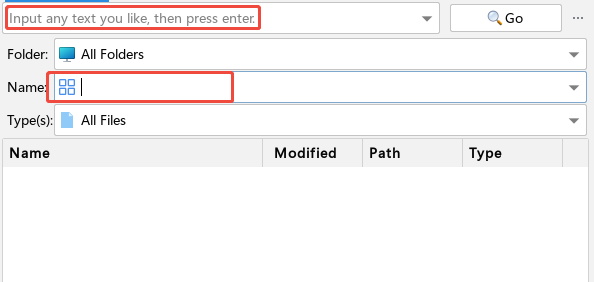
You can enter the same keyword into both boxes, this will ensure that the search results consist of filenames.
-
AuthorPosts